ANNA A.
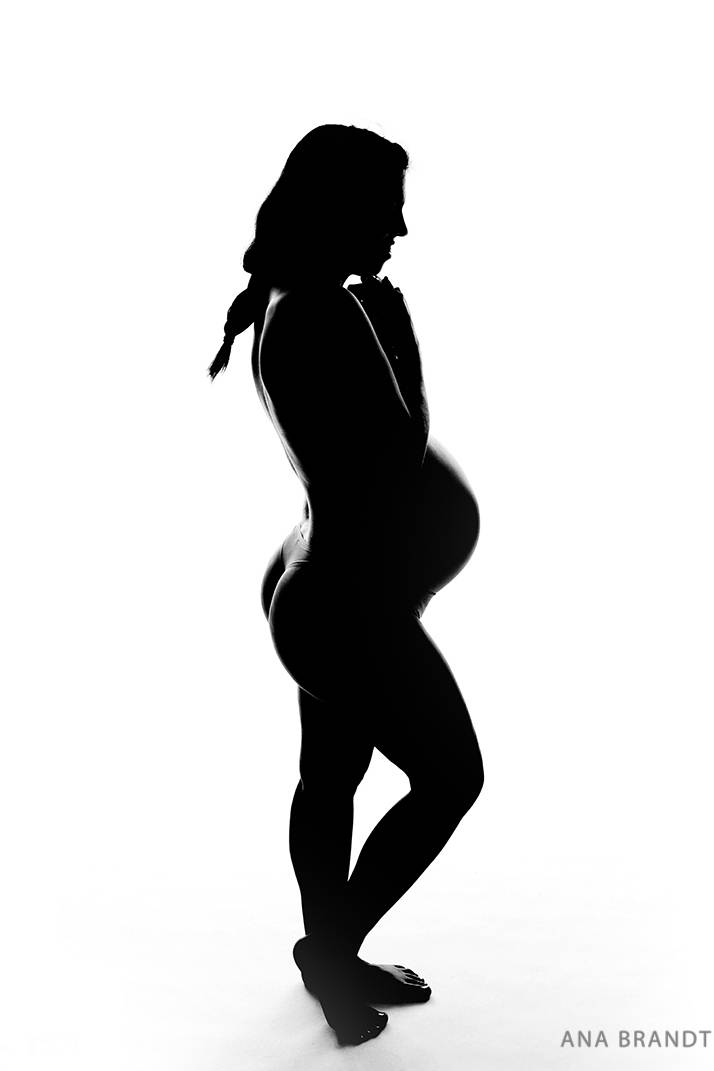
I love, silhouette actions, so much easier to create beautiful black-and-white pictures
Maria W.
Fantastic super easy to follow
Tânia M.
Still the very best. Thank you for all the good things you create.
Tânia M.
The best everytime
Hieu V.
It's really good !
Maria L.
It has completely changed the look of my images for a more professional look! Love them all! Thanks
pooja j.
Very quick & easy to use, editing done in less than a minute, worth every single penny. Love LSP actions
Jamie H.
Makes editing so much easier!
Sharron K.
Another 5 star review for LSP. A little pre-edit then literally 3 clicks for the perfect siloutte image. Well done LSP x
Martha P.
This action is so easy to use. I love the brushes that help to darken or lighten where it’s needed. Makes it so easy for me to transform my image to a silhouette.
Siobhan C.
Amazing results and easy to use
Katarzyna T.
Amazing and easy to use
Thulisile N.
I enjoyed this action
Janet Y.
Love the silhouette action, so easy to use and very saleable
Sierra S.
Love the actions - a little hard to get used to at first but once I nailed my lighting in studio I absolutely love them! LSP has amazing products!
Victoria F.
It made it fast and easy
Christine K.
Love using LSP actions! They are so easy to use!
mohammed A.
Great actions!
Laura K.
I wasn't able to light my background paper during this session. Client wanted a silhouette, and this saved the day to help me make one.
Rob F.
Just practicing but this made it so much easier!
veronica r.
I have been using LSP actions for quite a while now, and I honestly don't know what to recommend more. they are all beautiful, they level up my editing process and we end up with beautiful portraits. I am now about to buy the bunny overlays, I cant wait to use them.
Ruth P.
I found it easy to use and loved the results. Thanks so much. Highly recommended
Patricia W.
Great actions! I am in love with everyone! game changer! thank you!
Francois d.
Wow the best way to create spectacular photos with more than half the time.
Love It !
Marina S.
I love theses action ! So easy to use. My clients love it! I strongly recommend LSP actions to all professional photographers.
Jidovineantu C.
I love your actions, I have a lot of them and I really love them!
Allyson D.
This action made my client look fabulous! It allowed me to highlight the whites perfectly. 10/10 recommend.
Katherine H.
I use these presets for everything!
Jaweriah S.
Have heard so much about these actions cant wait to use them
eseoghene o.
I absolutely love this action, very classy
weinand d.
A great action to make a Silhouet photo
Patrycja S.
Since i started photography (not long ago) i always wanted to do picture like this! With this action it was very easy to do it :)
wendy V.
Love these Actions
Marianne v.
This action set made my editing a dream!!
Rebekah B.
Really easy to use. Saves so much time editing. I love all of LSP actions!
CHRISTINA T.
I love LSP actions! They take my work to the next level and I am never disappointed!!
Erin H.
Love LSP actions! They are the only actions I use
Erin M.
Absolutely love, works quickly and beautifully. Can't get enough of LSP :)
Sarah S.
This action makes this type of image so much easier. I wish I purchased it sooner.
Helene S.
Just love everything about your actions, you never let us down! So easy to use, great tutorials, and love the end results. Thank you so much!
Erick R.
As always, your actions are amazing and easy to use. Silhouette actions just helped me to give that special touch to my pictures. Thanks !!!!
Shannon W.
I love it! I can I click some of the actions and just use a couple!
Marjanca B.
I love all your actions, this one is hard to do without actions. Love, love, love, love it.
Jessica R.
Incredibly easy to use with massive impact!
Aylisha E.
I love all LSP actions you can't go wrong with any of them, I use them all then time it's is part of my work flow.
Oge O.
I just want to say thank you.
Jenny B.
I always do a few silhouette shots when I have a newborn in the studio. I know how to edit them manually by painting on black at less and less opacity but it takes a little while per image and is mind-numbingly dull. Used these actions today and BAM image complete in 5 seconds. I'm in love.
Magdalena W.
Great tool! Speed ups your workflow.
Devina W.
Absolutely love this action, I’ve never achieved this type of photography before and so happy I am now able to do so. Love it
Sharon M.
This action is awesome. Had just done a backlit session and was slowly working on the images to make them silhouetted when I saw you promote this new action. Was thrilled that it was released quickly. One click on the action and a click on the matte and done!! Makes it so easy! Thank you!!
jen m.
This is amazing like all of LSP actions makes my work load faster and better cannot recommend this action enough thanks again :)