

Why Evoto Changed My Photography Editing Workflow

Since discovering Evoto AI my editing journey has become so much easier as a photographer.
Hi! I’m Lauren Bennett Tippins. An award-winning photographer, international editing tutor, creator of LSP Actions (and a very busy mum of four spirited kids).
I started editing professionally in 2009. Photography has evolved a lot since then, but one thing remains true: we need tools that let us work fast without compromising image quality or overstepping our creative vision.
With Evoto AI, it finally feels possible to have both!
When I first tried Evoto in 2024, I’ll admit. I was skeptical. I wasn’t looking to replace Photoshop or Lightroom (my trusty sidekicks), but I was curious to see if Evoto actually lived up to the buzz I was seeing in all the photography Facebook groups.
Spoiler alert: it did.
Instantly.
I was blown away by what this software can do!
For a ride-or-die Photoshop gal who’s seen and tried it all over the years, this was HUGE!
• Want to try Evoto with a 15% discount and free credits? Simply go here and use code "LSPEVOTO"
• Download our Premium Award-Winning Evoto Presets to get started with your fastest flawless edits (ever) in Evoto before your coffee goes cold.
The Best Photo Editing Software Standing Out for Photographers Right now?
Let’s be real: today’s clients expect fast, polished galleries that look great on the wall and shared online. So quick turnaround with stunning results is essential.
But as photographers and artists, we also want creative control (without AI making decisions for us, especially when it comes to skin editing).
That’s where Evoto fits perfectly.
Key Benefits of Integrating Evoto into My Workflow:
Since integrating this amazing software into my workflow, I can now:
⏩ Batch-edit full galleries in minutes (even while the client waits with a coffee ☕
⏩ Apply my own presets and style
⏩ Stay in control of my edit every step of the way
⏩ Retouch skin, add makeup, remove flyaways, fix backgrounds
⏩ Instantly fix double chins, wrinkles, stretch marks, and glasses glare
⏩ De-wrinkle clothing, replace backgrounds and skies… and so much more!
⏩ Oh, and you stay in full control, whether you want a full-on retouch or just a light touch.
This is the editing software we’ve been waiting for… And it’s only getting better!
⚠️ Once you start using Evoto, you’re going to suddenly have more free time on your hands. Editing a full gallery manually can start to feel like a chore. Especially when you’re dealing with tricky newborn red blotches and acne, flyaway hair, background marks, or just a ton of images that need to match.
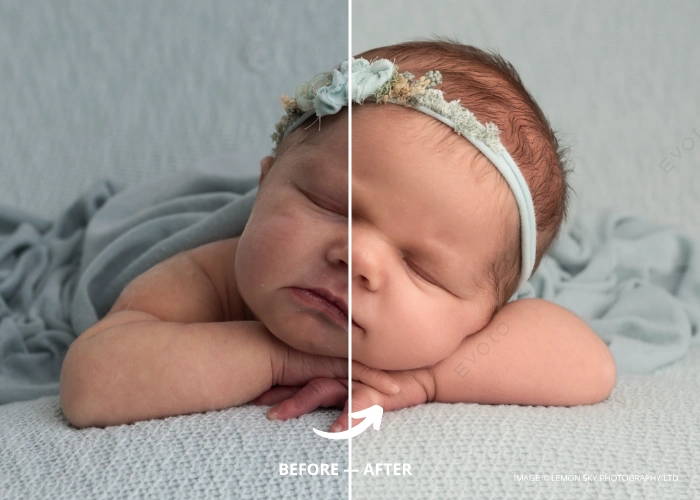
The Best Hybrid Editing Tools blending AI and Hand Refining.
Evoto is the perfect hybrid tool. It blends the ease of sliders (like Lightroom) with the retouching power of Photoshop. In seconds.
It even detects who’s in the photo: men, women, children, seniors, and lets you apply different retouching to each.
But the best part? Evoto doesn’t guess your style. You stay in control! Unlike hands-off AI tools, you can apply your own look, tweak everything, and batch the entire gallery — fast.
Of course, I still love Photoshop. But Evoto lets me skip the repetitive hand-editing and jump straight to the creative part. Which means no more patchy skin fixes or endless cloning. Just smooth, consistent results in a few clicks.
The Impact of Using Evoto AI on My Business and Life
Now I’m using Evoto? I feel like a top chef who just discovered a dishwasher that not only works fast, but also clears the table, unloads itself, and tidies the kitchen for me, so I can get back to creating, marketing, running my business, and enjoying my time.
And that’s the point. Less time editing = more time for what matters:
➡️ Booking new clients
➡️ Faster gallery delivery
➡️ Actually living life (instead of editing all night)
Evoto doesn’t replace your creativity; it actually enhances it.
Oh, and I nearly forgot to mention: It’s genuinely easy to use. No steep learning curve. The interface is fast, intuitive, and familiar, feeling instantly right.
🎥 Want to see how I use Evoto to edit a full family shoot?
In this free masterclass replay, I’ll show you how to edit a complete gallery (even while your client’s still sipping coffee) with all the hacks and tricks you need to make Evoto work instantly for you:
👉 Watch my free Masterclass editing webinar [here] (no signup required)
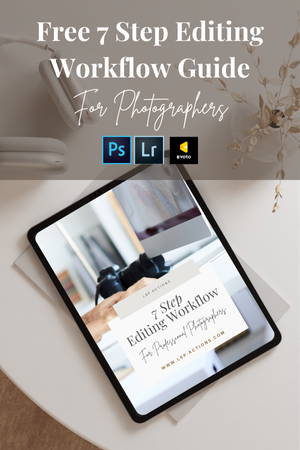
🎁 Get my FREE Evoto Editing Blueprint E-Guide FREE here: https://lsp-actions.myflodesk.com/blueprint

A Bit More about Me
As someone who’s worked in both photography and education for many years, I’ve tested just about every editing shortcut, plugin, and workflow on the market!
I’m also the founder of LSP Actions, the award-winning editing tools that help portrait and newborn photographers create standout images with less stress.
Since launching LSP Actions, my editing tools have grown to serve over 40,000 photographers worldwide, and even picked up a few industry awards along the way.
Evoto was different. Fast, smart, intuitive — but also a little overwhelming at first (sound familiar?)
So I built something to make it easier for us all ✨
I used my 15 years of experience in editing thousands of client images for photographers all around the world, and created Presets Specifically for Evoto AI.
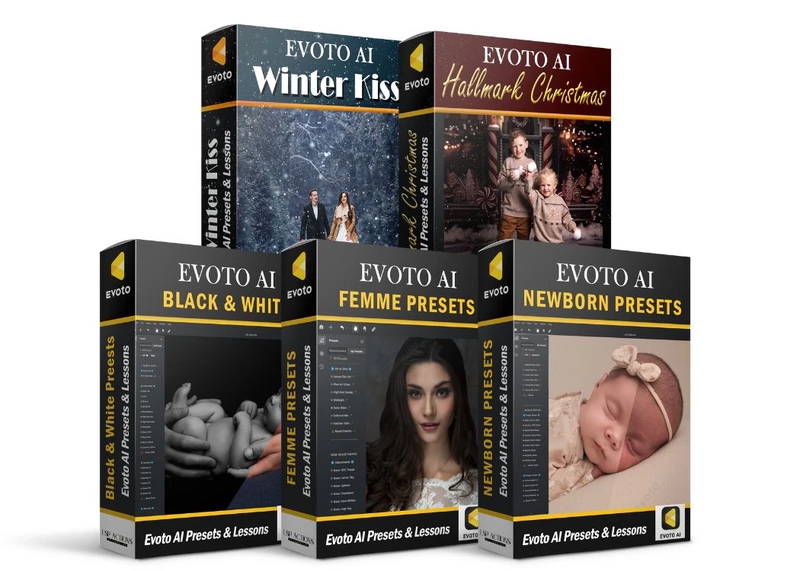
The best presets for Evoto AI for newborn, family, studio, portrait and beyond!
To simplify my own workflow (and yours), I developed three full preset collections designed to work inside Evoto AI, for:
🤩 Newborn & Family Photography (skin, tones, background)
🤩 Feminine + Fashion Retouching (maternity, boudoir, model)
🤩 Fine Art Black & White Portraiture
These aren’t just quick filters. They’re full, instant editing systems you can click through in seconds to build your signature look (instantly)
They load easily into Evoto, follow an intuitive workflow layout, and come with complete training, so you’re never left guessing what to do next!
👉 Explore the LSP Evoto Presets here — https://www.lsp-actions.com/products/lsp-evoto-presets
Additional Free Resources to Enhance Your Photo Editing
🧠 Want My Step-By-Step Workflow? How to batch an entire portrait or newborn gallery in under an hour (without losing control of your style).
It’s the perfect companion to the masterclass and presets — and yes, it’s free.
🎁 Download the Blueprint here — https://lsp-actions.myflodesk.com/blueprint
🎬 See It All in Action
If you haven’t already, don’t miss my free webinar:
“Mastering Newborn Editing with Evoto AI”
In this replay, I show exactly how I edit full client galleries using Evoto + my own presets — live and unscripted.
🎥 Watch the free Masterclass here — https://www.lsp-actions.com/blogs/lsp-actions-blog/evoto-masterclass-replay
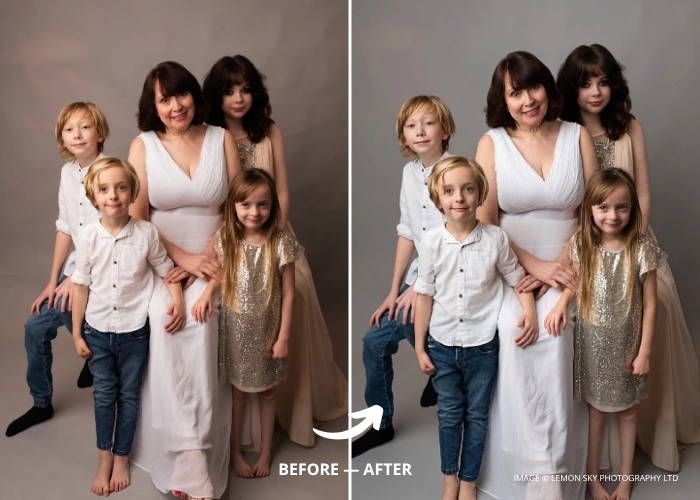
What’s Coming Next for Evoto Resources?
⚡ What’s Next? I’m working on more Evoto tutorials and hybrid editing walkthroughs (Evoto x Lightroom x Photoshop) — all designed to help working photographers like you and me edit faster, with your signature style intact.
Evoto gives us our time back, with outstanding editing results, and happy clients who love their finished gallery (in a fraction of the time).
If you’re curious about upcoming resources or want to collaborate, feel free to get in touch any time!
📸 Author Bio

Lauren Bennett Tippins
Founder of LSP Actions™, multi-award-winning photographer, and international editing tutor based in the UK. Lauren’s editing tools are trusted by over 40,000 photographers worldwide and have won multiple industry awards, including Best Professional Editing Tools at The Photography Awards.
Hi I'm Lauren
An award-winning Photographer & editing tutor (plus a mother to 4 spirited young kids)
I created a suite of editing tools now loved globally at LSP Actions for busy photographers and creatives like me, who want to transform their images and supercharge their editing.
Find out more about these Photoshop actions, Evoto presets, Lightroom Presets and overlays here.
Recent posts:



Save this for later or share
Recent Blog Posts